
Everyday
Reports & Proof of Play
What you tell advertisers.
Campaign report
Reports→Campaigngives the one-line summary for the advertiser (e.g. played 8,450 times across 12 locations), plus plays per day, by screen and by creative. UseDaily CSVandScreens CSVto export. ClickDownload PDF for the advertiserfor a branded report you can email straight to them.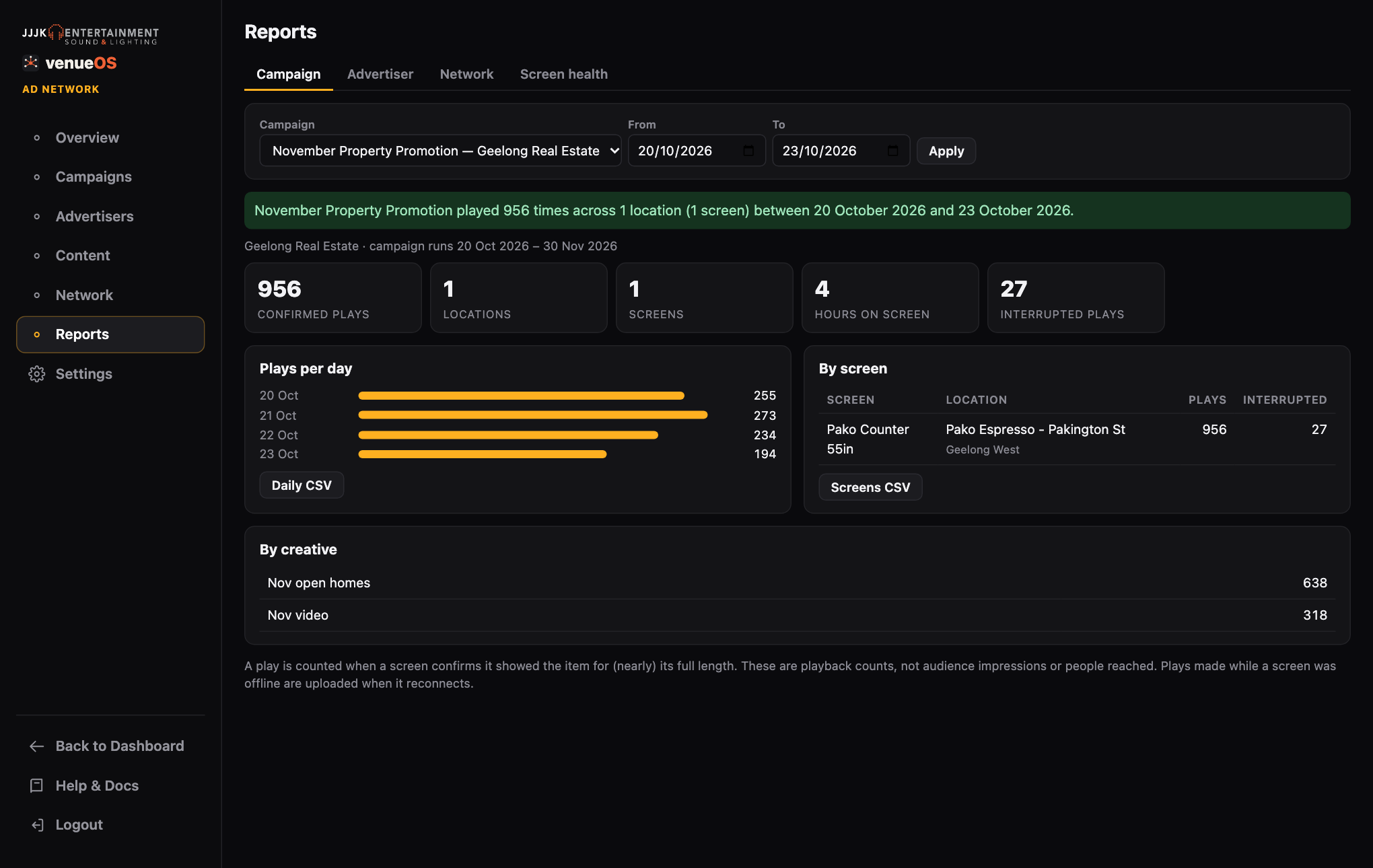
Campaign report with daily and per-screen breakdowns. Advertiser report
Shows every campaign for one advertiser over a date range, with the same PDF download for their monthly report.
Screen health
Shows uptime and plays in the last 24 hours for each screen. It flags screens that are offline or should be carrying a live campaign but haven't confirmed any plays.
A play counts when a screen confirms it showed the ad for (nearly) its full length. Plays cut short by an override or power-off are listed as interrupted. These are playback counts, not audience impressions or people reached. Describe them that way to advertisers.
Still stuck?Send us a ticket and the JJJK team will get back to you.
Submit a ticket