
Set Up the Network
Hosts, locations, screens and groups.
Add the host business
Network→Hosts→+ New host. A host is the business with a Micropixel screen on its premises. Set its category (Cafe, Gym, Retail…), contacts and agreement dates. Ads only run on a host's screens while its agreement is Active and inside its dates.Add its location
Network→Locations→+ New location. Give it the street address, suburb and region (e.g. Geelong West, Geelong) — campaigns can target a region or suburb directly. SetOperating hoursif ads should only run while the business is open.Pair the screen
Power the Micropixel player on at the site. It shows a pairing code on the TV (e.g.
MV9-TF2). Go toNetwork→Add screens, type the code, a name, the location and orientation, and clickPair screen. Every network screen belongs to Micropixel itself — never to another VenueOS venue.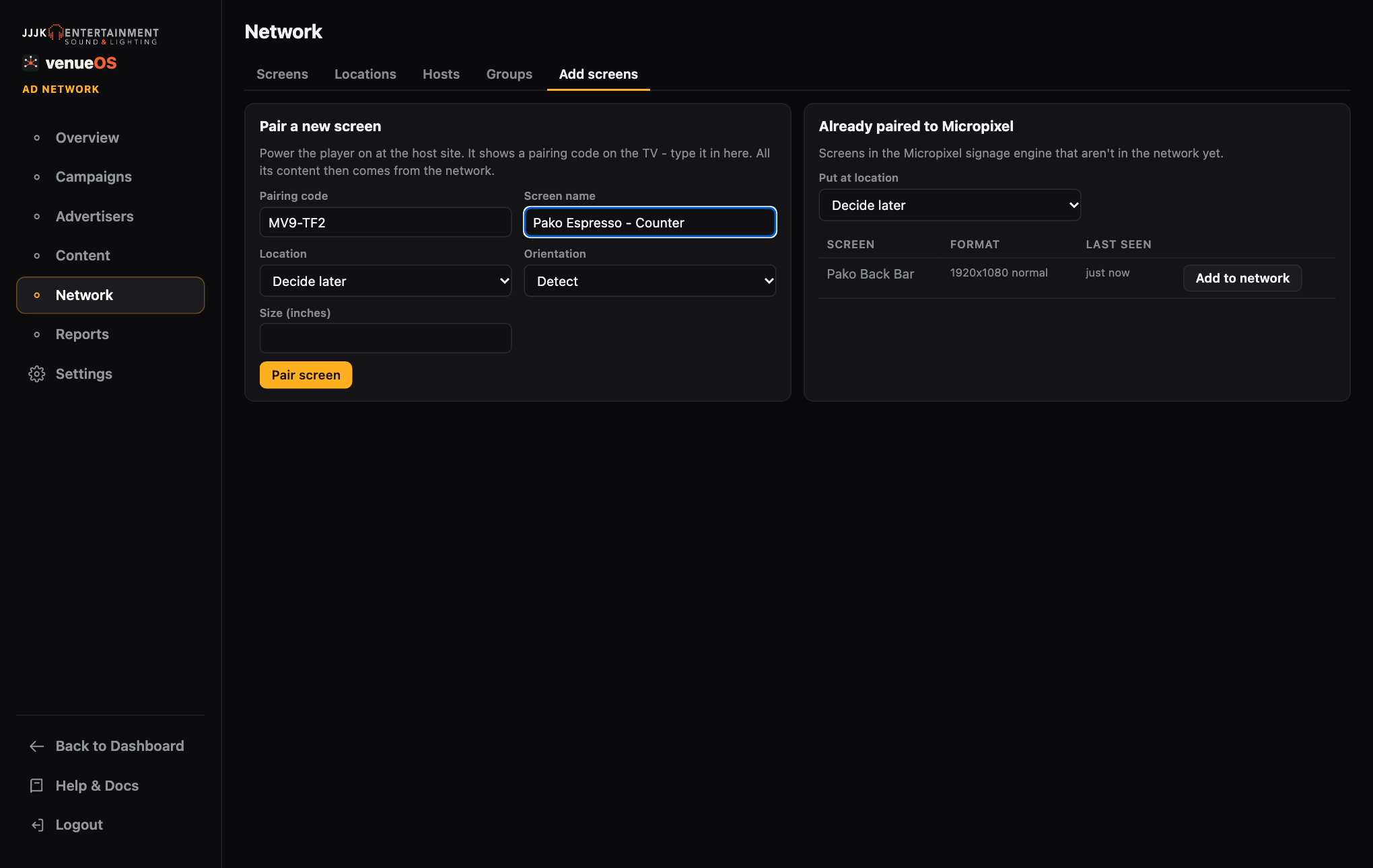
Pairing a new screen by its on-screen code. Switch advertising on
Open the screen, set
Statusto active, tickAdvertising onand check the orientation (landscape or portrait — creatives only play on matching screens). Save. The right-hand panel shows exactly what the screen will play.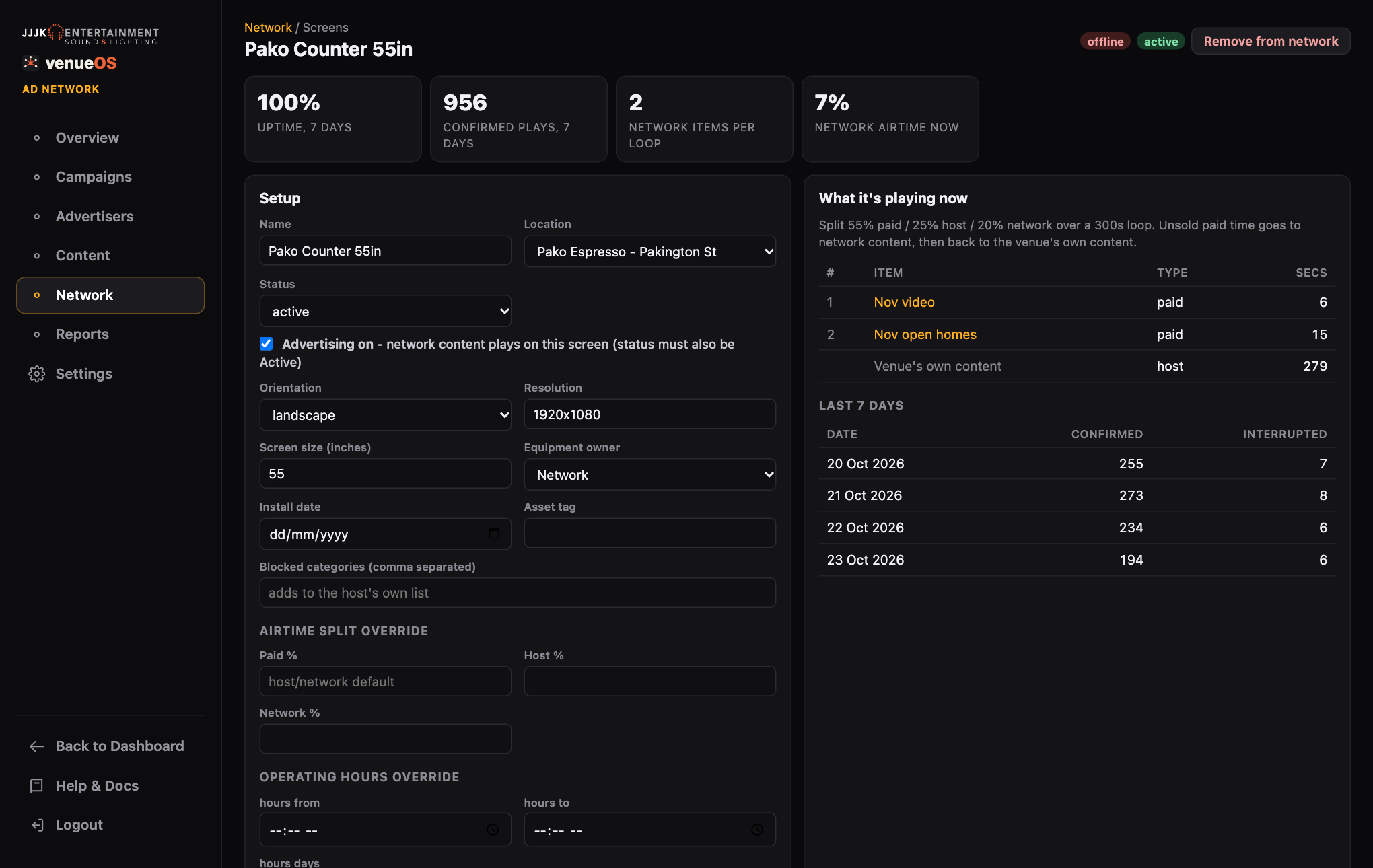
A network screen: setup on the left, what it's playing now on the right. Make groups
Network→Groupsfor targeting sets like Geelong CBD, Surf Coast, Cafés or Gyms. Tick screens by hand, or give the group a smart rule (regions, suburbs, venue categories) and matching screens join by themselves — including new ones. A screen can be in as many groups as you like.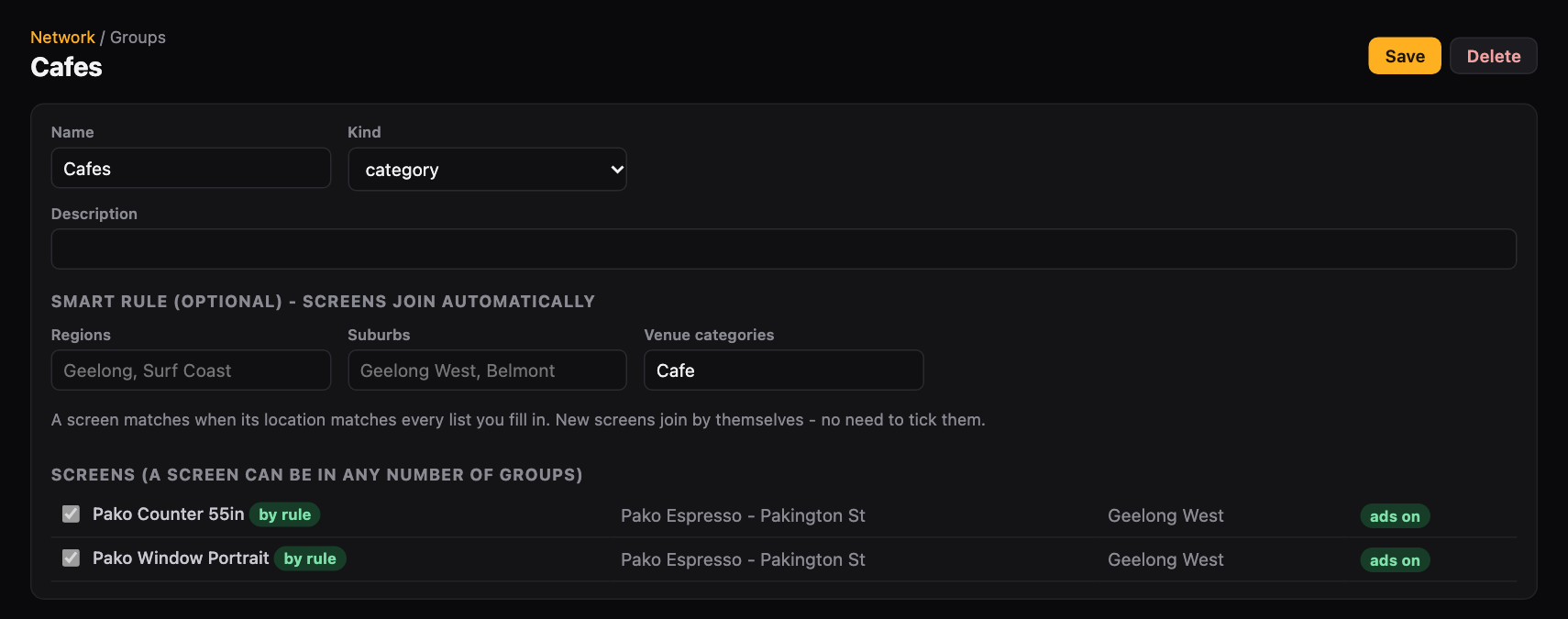
A smart group: every café screen joins automatically.
/signage) on this venue. You only need it for those - everything else is done in Ad Network.